
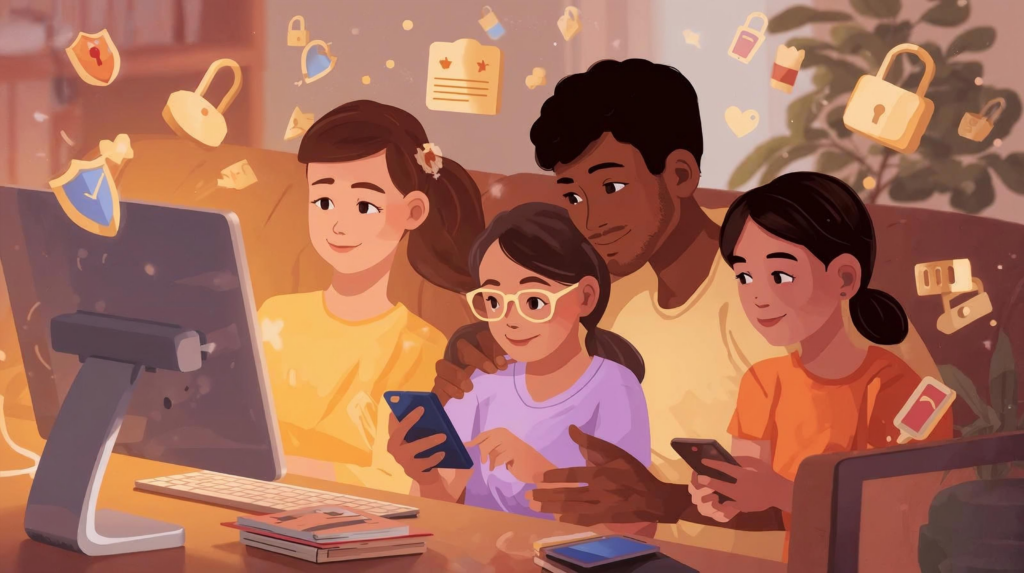
If you want simple family internet safety rules, start with: talk openly about online life, keep personal info private, set screen-time limits, use parental controls, teach everyone to spot scams, secure your Wi-Fi, and make it easy for kids to ask for help when something feels wrong online.
What Is Family Internet Safety and Why Does It Matter?
Your home internet is doing more than ever: work, school, streaming, gaming, smart home devices, and more.
At Stimulus Broadband – Dependable Hometown Solutions, we make sure your connection is fast and reliable. But just as important is how your family uses the internet.
Good family internet safety means:
-
Protecting kids from dangers like scams, predators, and cyberbullying
-
Limiting access to inappropriate content
-
Keeping your home network secure
-
Teaching kids and teens healthy online habits
You don’t need to be “techy” to do this. A few clear family internet safety rules go a long way.
Rule #1: Talk About the Internet Like You Talk About School and Friends
Key idea: Ongoing conversations = better safety.
Ask simple questions like:
-
“What games or apps are you using this week?”
-
“Have you seen anything online that felt weird or upsetting?”
-
“If someone was mean to you online, who would you tell?”
Tell your kids clearly:
“You won’t get in trouble for telling me the truth about something that happened online.”
That one rule makes them far more likely to come to you first instead of hiding problems.
Rule #2: Keep Personal Information Truly Private
Simple rule for kids:
“If you wouldn’t shout it in the school cafeteria, don’t post it online.”
Teach your kids never to share:
-
Full name and address
-
School name, sports team, or daily routine
-
Phone numbers
-
Passwords or one-time codes
-
Email or login details
Turn on privacy settings in apps, games, and social platforms so only real-life friends can see what your kids share.
Rule #3: Set Clear “Where, When, and What” Screen Rules
Every family is different, but every family needs screen rules. Keep it simple and consistent.
1. Where Devices Can Be Used
-
For younger kids, screens stay in shared areas (kitchen, living room, family office).
-
Avoid closed-door screen time for little ones.
-
Consider a no phones in bedrooms overnight rule for teens to protect sleep and mental health.
2. When Screens Are Allowed
-
Choose regular tech-free times: during dinner, family nights, or the first hour after school.
-
Use built-in tools on phones, tablets, and game consoles to set bedtimes and daily limits.
3. What They Can Do Online
-
Make a “Safe Apps & Websites List” for younger children.
-
For teens, focus on guidelines:
-
No adult content
-
No secret accounts
-
No sharing or forwarding inappropriate photos or videos
-
Write these rules down and put them somewhere visible so expectations are clear for everyone.
Rule #4: Use Parental Controls as Training Wheels (Not Handcuffs)
Parental controls are great support tools for online safety for families, especially when kids are young.
You can use them to:
-
Turn on Safe Search in browsers
-
Block adult content on streaming services
-
Filter apps and games by age rating
-
Limit screen time on school nights
-
Pause Wi-Fi for specific devices at bedtime
Think of parental controls as training wheels. They don’t replace parenting, but they give you another layer of protection.
Stimulus tip: Many routers and whole-home Wi-Fi systems include built-in parental controls. If you’re a Stimulus Broadband customer, our local team can help you turn them on and set them up.
Rule #5: Teach Everyone to Spot Online Scams and Fakes
Online scams don’t just target adults—kids and teens are targets too.
Explain these internet safety rules for kids and teens:
-
Don’t click random links in texts, DMs, or pop-ups.
-
If a message says you’ve won a prize or your account will be deleted, double-check with an adult.
-
Never share passwords or security codes, even if the message looks like it came from a friend or a “trusted” company.
-
If a message or video feels pushy, scary, or too good to be true, it’s probably fake.
Make it normal for kids to grab you and say, “Can you check this?” before they click on anything suspicious.
Rule #6: Secure Your Home Wi-Fi and Devices
Your home network is the front door to your family’s digital life. A few quick steps can dramatically improve internet safety for your whole family:
-
Use a strong Wi-Fi password (not your name, address, or “123456”).
-
Turn on two-factor authentication (2FA) for important accounts like email, banking, and social media.
-
Keep devices and apps updated so they have the latest security patches.
-
Set up a guest Wi-Fi network for visitors so they’re not on the same network as your family’s devices.
If you live in a rural area or have a larger home, this is especially important—multiple devices, long distances from the router, and smart home equipment can all put extra stress on your network.
Need help? The Stimulus Broadband team can review your plan and equipment to make sure your Wi-Fi is fast, secure, and ready for how your family really uses the internet.
Rule #7: Make It Safe and Easy to Ask for Help
This might be the most important family internet safety rule.
Say this clearly and often:
“If something online scares you, confuses you, or just feels wrong, come get me. You won’t be in trouble. We’ll handle it together.”
When kids and teens know they have your support, they’re more likely to:
-
Tell you about cyberbullying
-
Admit if they shared something they shouldn’t have
-
Show you scary or inappropriate messages instead of hiding them
That gives you a chance to fix small problems before they become big ones.
Age-by-Age Internet Safety Tips for Families
Here’s a quick guide you can use as your kids grow.
Under 9: Guided Discovery
-
Screens in shared spaces only
-
Pre-approved games, apps, and shows
-
Sit with them while they explore new content
-
Very simple rules: “Ask first,” “Stay on your apps,” “Tell us if something pops up”
Ages 10–13: Training for Independence
-
Talk more about who they’re interacting with online
-
Set clear rules about online friends vs. real-life friends
-
Discuss cyberbullying, group chats, and sharing photos
-
Limited social media, and only with parent oversight
Ages 14–17: More Freedom, Clear Boundaries
-
More independence, but non-negotiable rules:
-
No secret accounts
-
No explicit photo sharing
-
No meeting online-only people in real life without a parent
-
-
Frequent talks about mental health, comparison, and how social media makes them feel
-
Encourage older teens to help younger siblings stay safe online too
Quick Family Internet Safety Checklist
You don’t have to fix everything today. Start with a few quick wins:
-
Have a 10-minute “internet check-in” with your kids
-
Review privacy settings on their favorite apps and games
-
Turn on Safe Search and basic parental controls
-
Write down your Family Screen Rules and put them on the fridge
-
Update your Wi-Fi password to something strong and unique
-
Turn on two-factor authentication for key accounts
-
Agree on what kids should do first if something feels wrong online
How Stimulus Broadband Supports Family Internet Safety
At Stimulus Broadband, we believe reliable internet is a basic necessity, not a luxury—especially for rural and small-town families who depend on it for work, school, and staying connected.
With Stimulus, your family gets:
-
Dependable speeds that handle work, school, streaming, and gaming
-
Local, friendly support from people who live where you live
-
Guidance on safer setups, including secure Wi-Fi and parental control options
If you’re ready to make family internet safety easier—and enjoy a more reliable connection while you’re at it—get in touch with our team.
We’ll bring the Dependable Hometown Solutions.
You bring the family.
Together, we’ll keep everyone connected and safe online.
Contact us today to discuss which plan is right for you!
Follow Stimulus Broadband on Facebook.
__________________________________________________________________________________
FAQ: Family Internet Safety
Q1: What are basic internet safety rules for kids?
Basic rules include: never sharing personal information, using strong passwords, only talking to people they know in real life, staying on approved apps or websites, and telling a parent if something online feels scary or uncomfortable.
Q2: How can I keep my family safe online at home?
Set clear screen-time rules, use parental controls, keep devices updated, secure your Wi-Fi with a strong password, and talk regularly with your kids about what they see and do online.
Q3: At what age should kids start using the internet?
There’s no perfect age, but many families start with supervised use on kid-friendly apps and websites in early elementary school. The key is supervision at first, then gradually adding independence with clear rules as kids grow.
Q4: Do I really need parental controls if I already talk to my kids?
Yes. Parental controls are a helpful backup. Conversations teach good habits, and controls provide extra protection when you’re not right there watching.
Q5: How do I know if my Wi-Fi is secure enough for my family?
Make sure you’re using a modern router, strong Wi-Fi password, and updated devices. If you’re not sure, your internet provider—like Stimulus Broadband—can help review your setup and recommend improvements.

